Ride a Dragon Controls (PC, Mobile, Console)
Flight inputs, HUD icons, camera while carrying eggs, and device-specific steal defense.
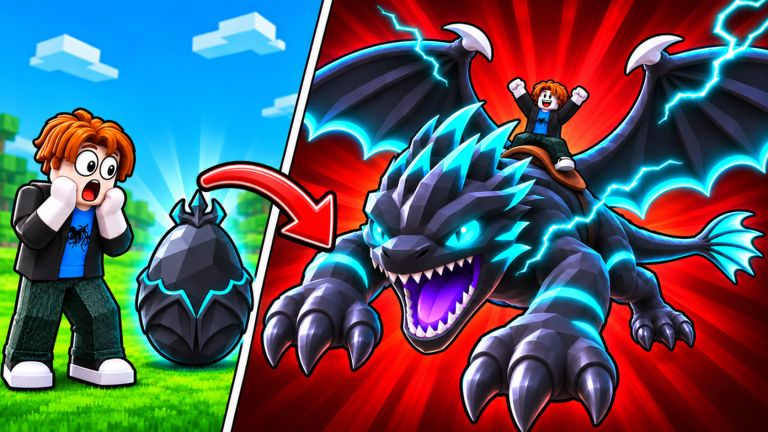
Mastering Ride a Dragon controls is the difference between a clean egg delivery and watching a rival snatch your haul mid-air. This guide covers PC keyboard and mouse flight, mobile touch layouts, console controllers, the left-side HUD (Rewards, Codes, radar), camera habits while carrying eggs, and how device choice changes steal defense. Use it with Getting Started on day one and the Find and Carry Eggs page once you start contested runs.
Ride a Dragon by Ride A Dragon [Glacius] runs on Roblox across desktop, phone, tablet, and console. Servers stay small (about six players), so every input delay or camera fumble is visible. Learn the bindings once, then practice straight-line carries until muscle memory beats panic.
PC keyboard and mouse flight
On desktop, Roblox defaults handle most movement while the game layer handles mount flight and UI clicks.
| Action | Typical PC input |
|---|---|
| Move / steer dragon | W A S D |
| Jump / climb altitude | Space |
| Look / aim camera | Mouse move |
| Zoom | Mouse wheel |
| Interact / pick egg / place nest | Click or E when prompted |
| Open Roblox menu | Esc |
After you mount a dragon, treat W as throttle along your camera facing and use the mouse to bank turns. Small mouse corrections beat large WASD swerves when you are carrying an egg — oversteering is how players clip terrain and lose the race home. Zoom out slightly before takeoff so you can see rivals above and beside you.
PC strengths: precise camera, fast HUD clicks into Rewards → Codes, and easier radar checks without covering the screen. Redeem every active string from the Codes Hub before long grind sessions so luck and hatch boosts are ready for night windows.
Mobile touch controls
On phone and tablet, expect a left thumbstick for movement, right-side drag for camera, and contextual buttons for jump, interact, and mount actions.
- Hold the left stick gently — full tilt on a low-float dragon is hard to correct mid-turn.
- Drag the right half of the screen to keep your base landmark centered while flying.
- Tap interact only when the prompt is stable; double-taps near rivals often drop focus.
- Pinch to zoom out before contested island runs so radar and player silhouettes stay readable.
Mobile weakness is thumb occlusion: your own fingers can hide a diving stealer. Zoom out, keep the stick dead-zone small, and prefer short sessions with charged devices so frame dips do not steal eggs for you. Pair touch play with the Feed and Level guide — more speed on a low-float mount forgives sticky inputs.
Console and controller
Controllers map left stick to move, right stick to look, A (Xbox) / Cross (PlayStation) to jump or climb, and face buttons or triggers for interact when the game shows a prompt. Use the Roblox menu button for settings if camera sensitivity feels sluggish.
Console tips that matter in Ride a Dragon:
- Raise look sensitivity slightly for aerial dogfights around floating islands, then lower it again for nest placement precision.
- Bind or learn the shortest path to the left HUD so Rewards and Codes are not a scavenger hunt mid-event.
- Prefer wired or strong wireless connections; six-player lobbies still punish input lag on legendary Glacius / Magmaroth windows (~every three hours).
Controller players often win long straight carries and lose tight forest exits — practice banked turns around trees before weekly featured eggs (see Events and Weekly Eggs).
HUD icons you must memorize
The left-side HUD is your progress dashboard. Do not hunt menus while an egg is on your back.
- Rewards — daily and event claims; open this first after join.
- Codes — nested under Rewards; type strings exactly (lowercase, no spaces) then redeem.
- Radar — points to live eggs on mountains, forests, clouds, and floating islands. Use it to pick one target, not to zigzag.
Before any legendary or weekly hunt, confirm codes are redeemed, nests are free, and your lowest-float speed mount from the Tier List is equipped. The Tools Hub checklist helps you avoid burning Free Skip or 2× Hatch with empty nests.
Camera tips while carrying eggs
Carrying an egg is a delivery contract. Camera mistakes cause steals more often than raw speed gaps.
- Lock a landmark — before pickup, note a rock, tree, or pad near your base and keep it on-screen.
- Zoom out one notch — see divers above you; zoomed-in first person hides vertical threats.
- Face home immediately — turn with the mouse or right stick the instant you claim; then throttle.
- Avoid cinematic spins — 360° looks for screenshots are free steals in a six-player lobby.
- Re-center after collisions — if you bounce off a cloud platform, stop strafing, reset camera to horizon, then resume.
If another rider is clearly closer and faster, abort. Ego camera chases waste the egg that Hatch Eggs Faster and night 10× timers would have multiplied.
Device differences for steal defense
| Device | Steal-defense edge | Main risk |
|---|---|---|
| PC | Best camera + click speed on nests | Overconfidence in mid-map fights |
| Mobile | Quick join anywhere | Thumb blocking view; accidental UI taps |
| Console | Stable sticks for long flights | Slower HUD navigation under pressure |
Shared rules across devices: fly straight, carry one egg until you read the lobby, and leave contested rings if your float and speed are worse (see Buoyancy / Float). Feed for speed and luck before you contest clouds and islands — controls alone cannot outfly a better mount.
Practice drills (fifteen minutes)
- From base, mount up, zoom out, and fly a square around your plot without touching the ground.
- Grab a nearby common via radar, keep the base landmark visible the whole return, and nest it.
- Repeat once on mobile or controller if you main PC (or the reverse) so device switches do not erase muscle memory.
- Open Rewards → Codes without moving the camera off your nest area.
- End the drill — do not “one more rare” until inputs feel boring.
Common control mistakes
- Redeeming codes with an egg on your back (HUD tunnel vision).
- Holding full stick tilt on mobile through forest canyons.
- Playing zoomed in during Glacius windows.
- Switching dragons mid-carry instead of committing to the equipped mount.
- Ignoring night hatch timing because you were fiddling with sensitivity menus.
Clean inputs make every other system compound: safer carries feed better hatches, better hatches lower float, lower float wins the next race. When controls feel automatic, return to Find and Carry Eggs for route tactics and keep the Codes Hub bookmarked for fresh boosts after updates.
Frequently Asked Questions
Quick answers for Ride a Dragon on Roblox.
What are the basic PC controls in Ride a Dragon?
Use WASD to move or steer your dragon, Space to jump or gain altitude, the mouse to look, and click or E when prompts appear to pick up or place eggs. Open Rewards on the left HUD for Codes.
How do I redeem codes on mobile?
Tap the Rewards icon on the left side of the HUD, open Codes, type the string exactly as listed (lowercase, no spaces), then redeem. Do this before contested egg runs so you are not in menus while carrying.
Does console play the same as PC?
Yes — the egg hunt, hatch, and feed loop is identical. Only input devices change: left stick move, right stick look, face button jump, and slightly slower HUD navigation under pressure.
How should I set the camera while carrying an egg?
Zoom out one notch, keep your base landmark on-screen, face home immediately after pickup, and avoid spinning for screenshots. Vertical divers are easy to miss when zoomed in.
Which device is best for steal defense?
PC usually wins on camera precision and nest clicks, but a low-float fast dragon matters more than platform. On mobile, zoom out so your thumbs do not hide rivals; on console, practice HUD paths before legendary windows.